Open source · MIT · runs on your own machine
Your own AI coding factory: from GitHub issue to merged code
Put one label on a GitHub issue. Spaghetti Code Foundry asks the open questions, plans, codes, tests, reviews and merges the story with Claude Code and Codex, and asks you only when it has to.
git clone https://github.com/MeloMar-IT/spaghetti-code-foundry.git
cd spaghetti-code-foundry
npm install && npm run build && npm link
scf ui      # web UI at http://localhost:4777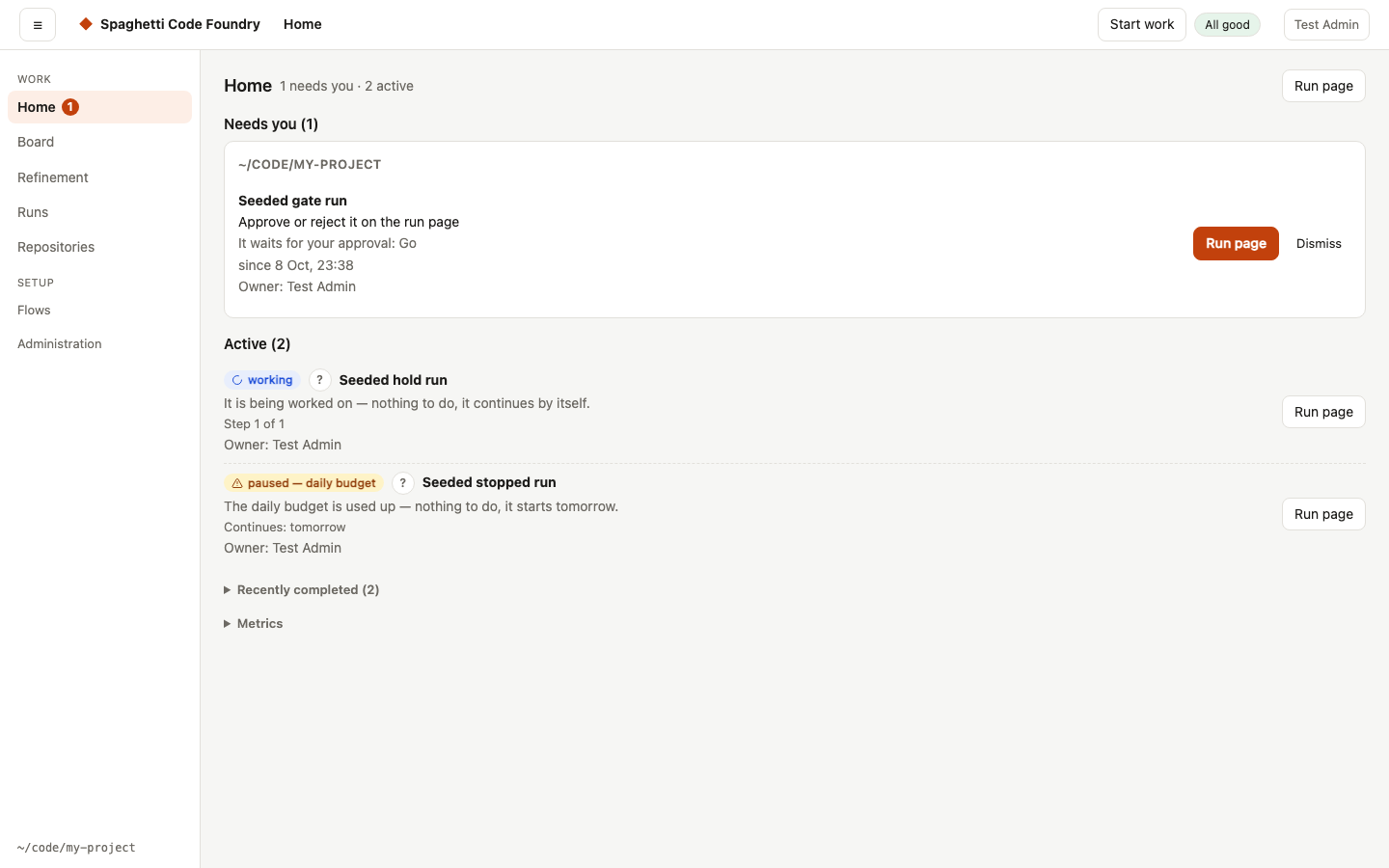
How it works
- Label an issuePut
Factory_goon a GitHub issue or a whole epic. That is the only label you set. - Questions firstThe Foundry asks its open questions on the issue, up front. Answer them, or reply
/defaultsto take its recommendations. - Plan, code, test, reviewEach story gets a plan with a risk score, a review of the plan, code on its own feature branch, tests, a code review by a second model, and docs.
- Merged, once a day to mainFinished stories merge into
develop. Once a day you get one pull request fromdeveloptomainto merge.
Why teams use it
Hands-off, with you in control
Every plan gets a risk score from 0 to 100. Risky plans wait for your approval; stories that are too big are split into smaller ones.
Always clear what happens next
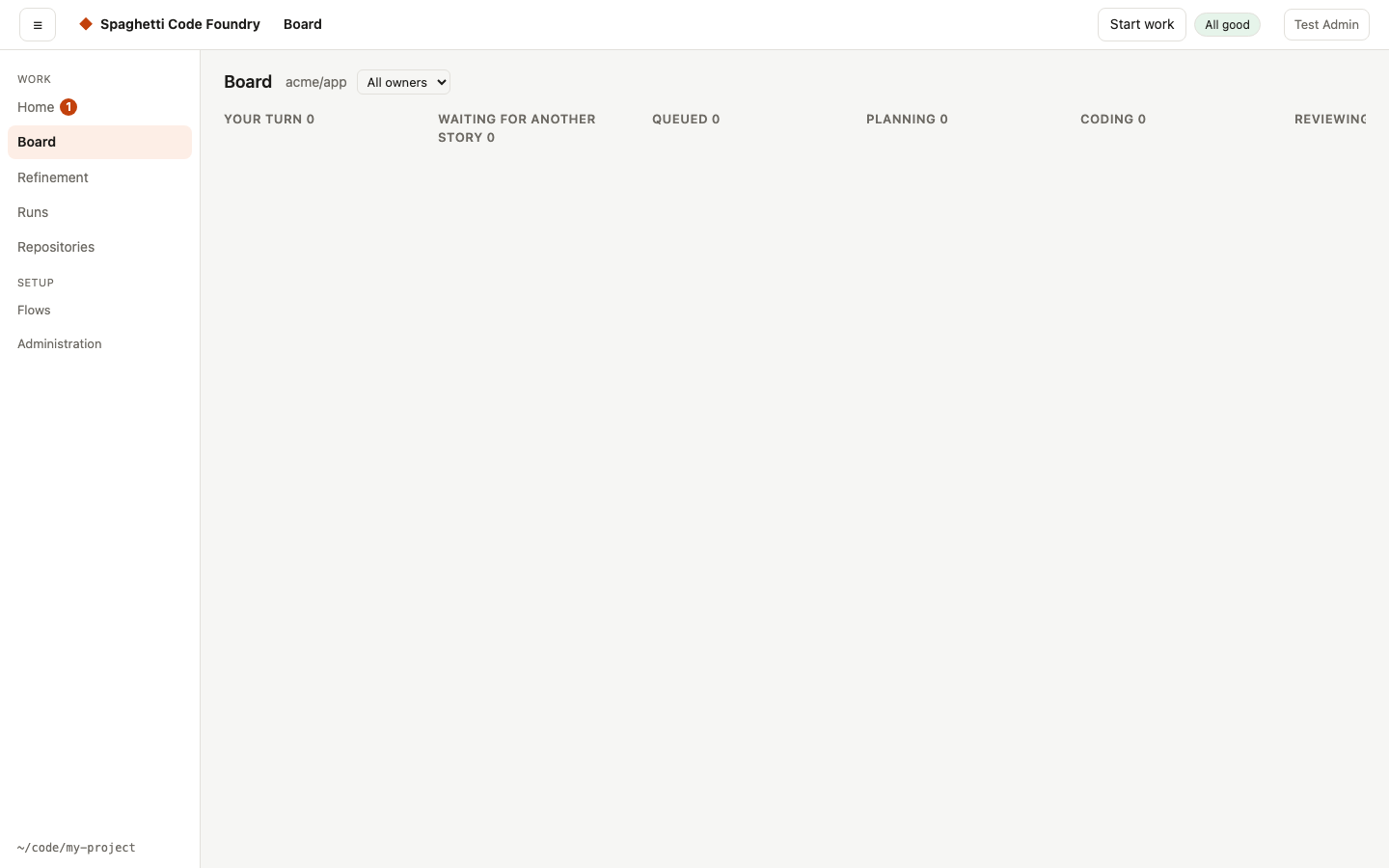
Home shows what waits for you. The board shows where every story is and why. A health line says when something is wrong with the Foundry itself.
Several stories at once
Runs lock the parts of the code they change, so stories in different areas are built in parallel without merge conflicts.
Two agents, any model
Steps run on Claude Code or the Codex CLI, on Anthropic, OpenAI or local models such as Ollama and LM Studio. One vendor's model reviews the other's work.
Your own flows
Work is described as flows: YAML pipelines of agent steps, shell steps, approvals and branches. Edit them visually, reuse blocks, or let any AI assistant write one.
Safe by default
Every run works in its own copy of the code. Pushes to protected branches and pushes that contain secrets are blocked. Approval steps, budgets and sandboxing when you want them.
See everything
Live logs, readable transcripts of every agent step, diffs, a dashboard of costs, and resume, retry and approve buttons.
Turn ideas into stories
Refinement helps you write good stories with an AI architect that reads your code, asks the right questions and checks each draft against your Definition of Ready.
Accounts and roles
An admin makes flows, watchers and settings. Users run the flows the admin published, on their own repositories, and see only their own runs.
Built for the way you already work
The Foundry follows gitflow: each story on its own feature branch, merged into develop when it is done, and one release pull request a day to main. It reads your issues, comments on them, and labels them so you can follow every story on GitHub too.
It runs on your own Mac, with your own accounts for Claude Code, Codex and GitHub. Your code and your keys stay with you.
Start here
- How to install Spaghetti Code Foundry on your MacInstall Spaghetti Code Foundry from source on macOS, link the scf command, start the web UI and create the first admin account.
- How to run your first flow by handCreate a small flow, run it on a local git repository in its own worktree, then check the steps and the diff in the web UI.
- How to let the Foundry build your GitHub issuesAdd an issues watcher with the issue-gitflow flow and the Factory_go label, so labelled issues are planned, coded, tested and merged into develop.
- How to add a repository and choose its sign-inAdd a repository under My repositories, pick a token, deploy key or GitHub App for the Foundry to sign in with, and test the connection.
- How to keep the Foundry running as a login serviceInstall the Foundry as a macOS login service so watchers keep running after a restart, and learn how restarts and self-update work.
- How to use the Foundry from the command lineSign in with scf login, list runs and what waits for you, script with --json, and make any server call with scf api from your terminal.
Frequently asked questions
What is Spaghetti Code Foundry?
An open-source AI coding factory that runs on your own machine. It runs flows: pipelines of steps that code, test, review and ship changes with AI coding agents. Its main use: put one label on a GitHub issue, and the Foundry asks the open questions, plans, codes, tests, reviews and merges the story.
Which AI agents and models does it use?
Steps run on Claude Code or OpenAI's Codex CLI, on Anthropic, OpenAI or local models (Ollama, LM Studio). Routing rules pick the model per step, with fallbacks when a model hits a limit. See choosing models.
What do I need to run it?
Node.js 20 or newer and git, Claude Code logged in, and the GitHub CLI (gh) logged in for the GitHub flows.
The Codex CLI, Ollama or LM Studio and Docker are optional. It is built and used on macOS. See
how to install it.
Does my code leave my machine?
The Foundry runs on your own machine and works on a copy of your repository for every run. The agents it starts use the AI providers you configure, the same way they do when you use Claude Code or Codex yourself.
How do I stay in control of what it changes?
Every plan gets a risk score; risky plans wait for your approval. Pushes to protected branches and pushes that
contain secrets are blocked, and all work lands on develop first. You merge one pull request a day to main.
See keeping your code and secrets safe.
Can I write my own pipelines?
Yes. Flows are YAML files you edit visually or as text, with a block library of reusable steps. Any AI assistant can write one for you from the flow format reference. See how to write a flow.
What does it cost?
The Foundry itself is free and open source under the MIT licence. You pay for the AI subscriptions or API usage of the agents and models you choose. The dashboard shows what each run cost. See controlling costs.
Is it only for GitHub?
The issue watchers and the daily release pull request work with GitHub. You can also run any flow by hand on a
local repository with scf run. See your first run.
Give your backlog to the Foundry
Install it in a few minutes, connect a repository, and put one label on an issue.